
Invoice Fiscal Lifecycle
Void a supplier invoice without claiming the SAT cancelled it, and merge a manual payable invoice with the real CFDI when it arrives.
What You Can Do
- See three fiscal states on
/accounting/payments: valid, voided, cancelled - Void a valid invoice that has no payments, reactivate a voided one, or mark a voided invoice as cancelled once the SAT cancellation is known
- Merge a manual invoice into the real CFDI so payments stay on the row you already paid
- Filter stuck merges and resume them forward or reverse
Process flow
Valid invoices can be voided or merged. Void is an accounting decision and can be undone. Cancel means the SAT cancelled the CFDI and cannot be undone. A merge keeps the manual invoice you already paid and retires the real CFDI as voided, not cancelled.
Getting There
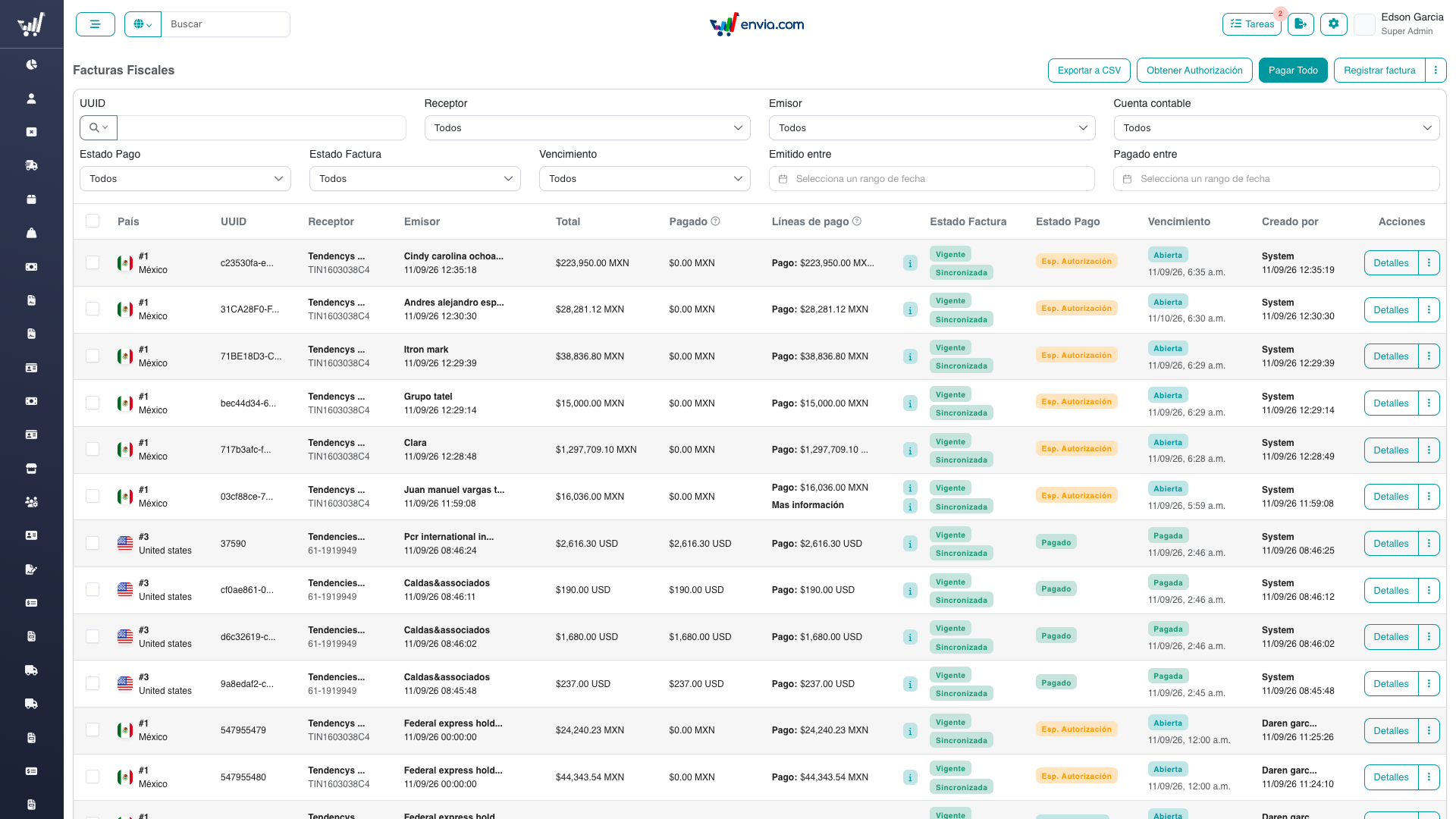
Accounting → Fiscal invoices (/accounting/payments).
You need zoho-invoices to open the listing. Void actions need Gestionar estado de facturas (accounting-manage-invoice-status). Merge and recovery need Fusionar facturas (accounting-merge-invoices).
If labels look like raw keys (payments.merge…), the language files on S3 have not been updated yet. Ask an admin to merge the patches from Utilidades → Archivos de lenguaje.
Common Tasks
Void an invoice
- Open the listing and find a valid invoice with no payments.
- Open the row menu and choose void.
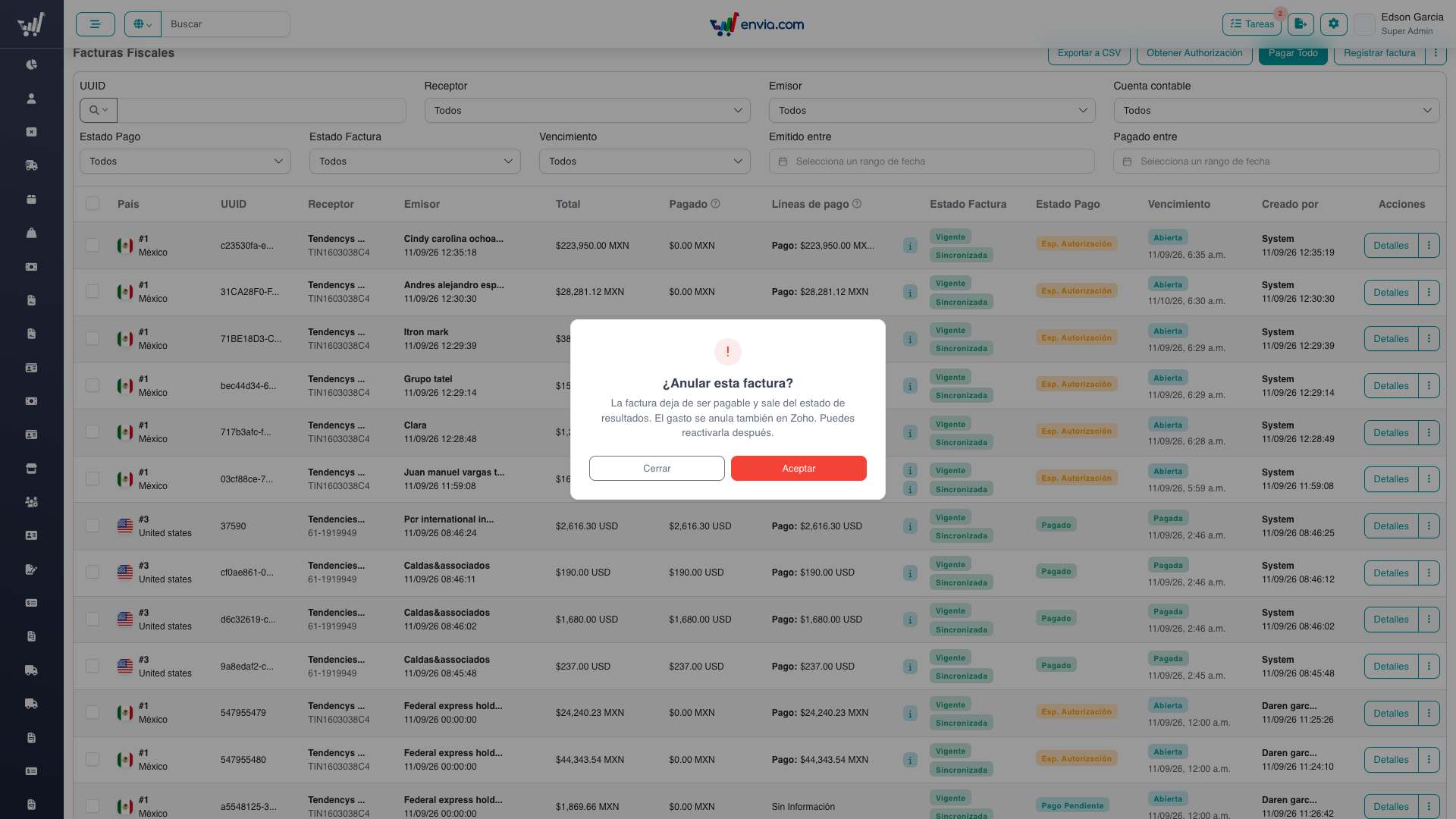
- Read the destructive confirmation. Dismiss it if you are not sure — nothing is sent.
- Confirm. The badge becomes Anulada (warning). The Zoho bill is voided when the invoice was synced.
You cannot void an invoice that already has a payment. Remove the payment first, or leave it valid.
Reactivate or cancel a voided invoice
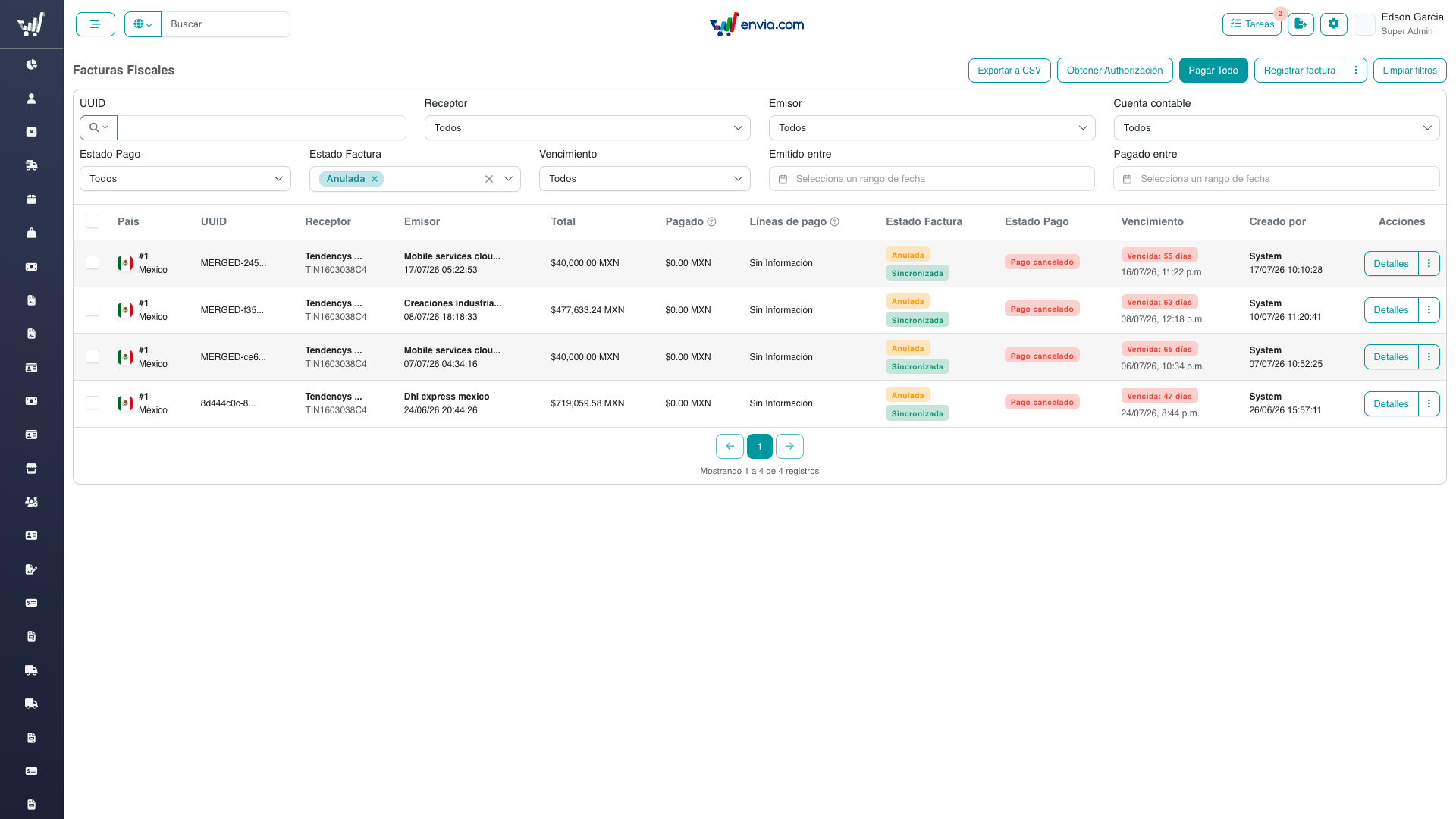
- Filter fiscal state to Anulada, or open the row that shows the warning badge.
- Reactivate returns it to valid and reopens the Zoho bill.
- Cancel moves it to cancelled in admon only. Use this when you already know the SAT cancelled the CFDI but Syntage has not reported it yet. This does not call Zoho.
Merge a manual invoice with the real CFDI
Use this when the team registered a manual invoice to pay a supplier, and the real CFDI later arrived from Syntage.
- Open the row menu on the manual, valid invoice.
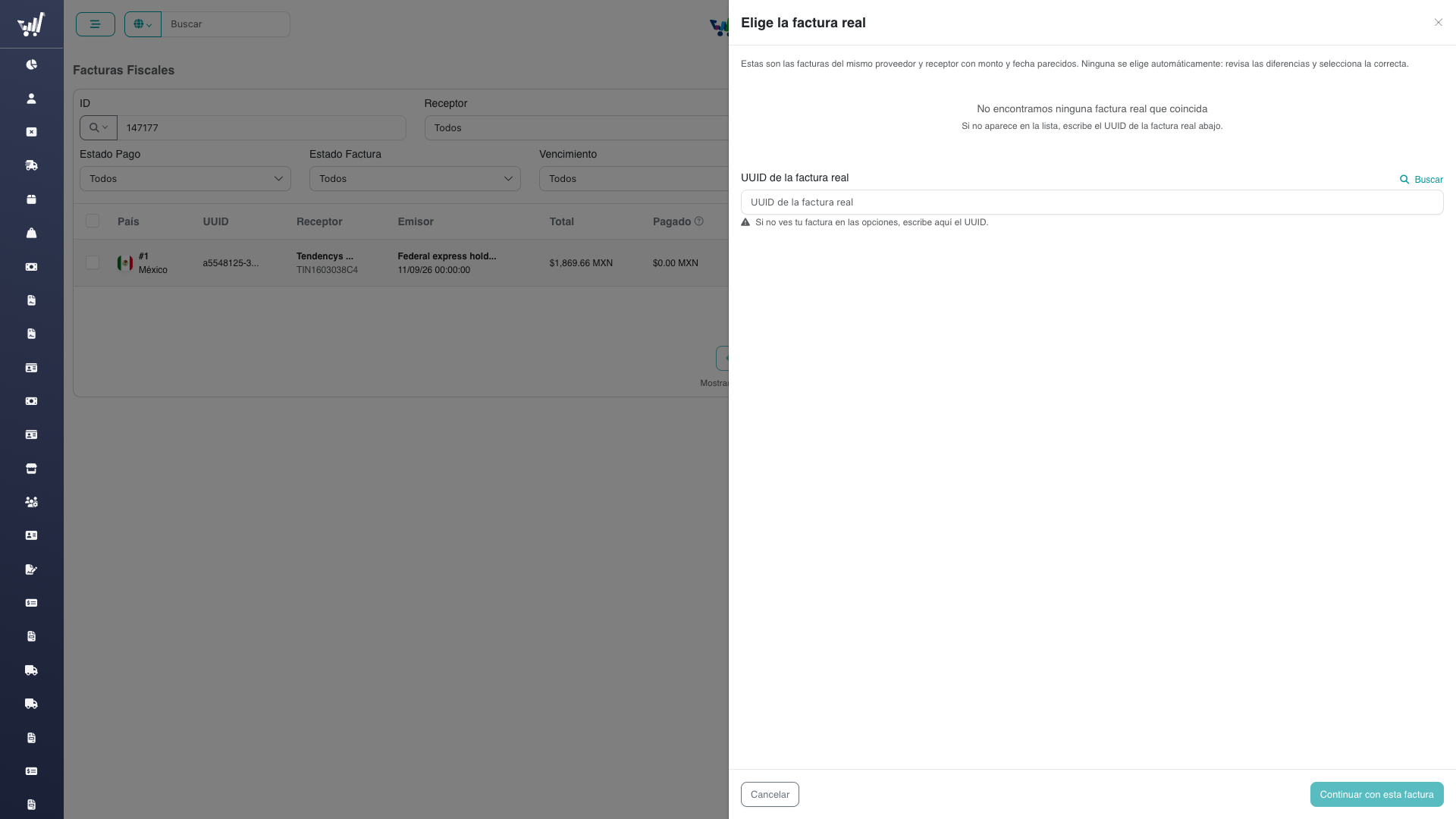
- Choose merge. An offcanvas opens on the candidate list. Wait for the loading orb; do not assume the first card is correct.
- If the list is empty or the right CFDI is missing, paste its uuid in the field at the bottom of the same step. There is no second “widen search” screen.
- Select the real invoice. Continue stays disabled until you do — even if only one candidate came back.
- On the comparison step, check uuid, totals, dates and the statement of what will happen: the manual row keeps the payments; the real row becomes voided, not cancelled with the SAT.
- Confirm. The listing refreshes. The surviving row shows the real uuid. The other row is voided.
Recurring vendors often bill the same amount every month. Read the issue-date difference before confirming.
Recover a stuck merge
- Open Filtros avanzados and filter merge state to stuck, or look for the danger chip on the row.
- Open recovery. Choose forward (finish the merge) or reverse (put both invoices back) — neither is preselected.
- Confirm. Reverse is only possible before the Zoho bill already carries the real CFDI; if the UI offers only forward, that is why.
The backfill of old manual invoices is an operator campaign, not an automatic job. Pairing stays human because identical totals from the same vendor are common.
Frequently Asked Questions
Why is void different from cancel?
Void (ANULADO) is an accounting decision in admon and Zoho. Cancel (CANCELADO) means the SAT cancelled the CFDI. Mixing them is what used to break the income statement.
The merge action is missing
The invoice must be manual (created_by > 0), valid, and not already in a merge. Synced invoices cannot be the survivor. You also need the merge permission.
Continue is disabled on the first merge step
Nothing is preselected on purpose. Click a mergeable candidate, or look up a uuid so a mergeable result is selected for you.
The counterpart still looks valid in Zoho
The worker voids the counterpart bill after it updates the survivor. If the merge chip is warning or danger, the job is still running or stuck — use recovery rather than voiding by hand.
Can two manual invoices be merged?
No. The survivor must be manual and the counterpart must come from the provider.
Related
- Technical overview — Decisions, tables, data flow
- API — Endpoints and refusal reasons
- UI — Screens and components
- Invoice Sync — How a CFDI first arrives
- Payment Requests — Requests that stay on the surviving invoice